Honeywell T6 Pro Installation Manual: A Comprehensive Plan
This manual details the installation of the Honeywell T6 Pro thermostat, covering wiring, mounting, app integration, and troubleshooting for optimal home comfort control.
The Honeywell T6 Pro Series Thermostat represents a significant advancement in home climate control, offering programmable features designed for both energy savings and enhanced comfort. This thermostat is a versatile solution suitable for a wide range of heating and cooling systems, including forced air, hydronics, and heat pumps.
Its intuitive interface and smart capabilities, coupled with seamless integration with the Honeywell Home app, provide users with convenient remote access and control. This installation manual provides a comprehensive guide to ensure a successful setup, covering everything from unpacking the components to configuring system settings and troubleshooting common issues.
Understanding the Package Contents
Upon opening the Honeywell T6 Pro package, carefully verify all components are present. You should find the T6 Pro thermostat itself, a thermostat baseplate for wall mounting, mounting screws and anchors for secure installation, and wire labels to aid in proper wiring identification.
Additionally, the package includes this detailed installation manual providing step-by-step instructions. Some models may also contain an optional cover plate designed to conceal any paint gaps from a previously installed thermostat. Ensure you have all listed items before proceeding with the installation process to avoid delays.
Optional Cover Plate Installation
The Honeywell T6 Pro includes an optional cover plate designed to aesthetically cover any imperfections or paint discrepancies left from the removal of your previous thermostat. This plate provides a clean, finished look. Installation is straightforward; align the cover plate with the mounted thermostat base, ensuring it sits flush against the wall.
However, selecting the correct cover plate is crucial, as different plates correspond to thermostats manufactured at different times. Refer to the manufacturing date section for proper plate selection before proceeding with installation.
Cover Plate Selection Based on Manufacturing Date
Choosing the correct optional cover plate hinges on your thermostat’s manufacturing date. Honeywell produced different cover plates to accommodate slight variations in thermostat base designs over time. Incorrect plate selection may result in a poor fit or an unsightly appearance.
Locate the manufacturing date on the thermostat itself or its packaging. Consult the Honeywell documentation (or online resources) to determine which cover plate corresponds to that date. Using the appropriate cover plate ensures a seamless and professional installation, effectively concealing any wall imperfections.
UWP Mounting System Installation
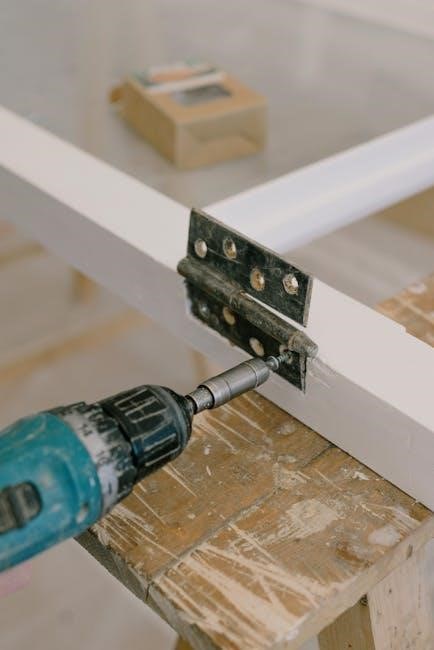
The Universal Wall Plate (UWP) system simplifies thermostat mounting. Begin by removing your old thermostat and disconnecting the wires, carefully labeling each one. Secure the UWP to the wall using the provided screws, ensuring it’s level for accurate temperature readings.
If paint is present from the previous thermostat, the optional cover plate can be utilized to conceal any gaps. Feed the thermostat wires through the opening in the UWP. The UWP provides a stable base for the T6 Pro, facilitating a clean and professional installation process.
Wiring Terminal Designations
Proper wiring is crucial for correct thermostat operation. The Honeywell T6 Pro utilizes clearly labeled terminals for various system components. ‘R’ designates the 24VAC power, while ‘C’ is the common wire – often required for consistent power. ‘W’ controls heating, ‘Y’ cooling, and ‘G’ the fan.
Multi-stage systems will have additional terminals (W2, Y2) for auxiliary or second-stage heating/cooling. Carefully match the wires from your existing thermostat to the corresponding terminals on the T6 Pro base, ensuring secure connections for reliable performance.
Identifying Common Wiring Terminals
The ‘R’ terminal consistently supplies 24VAC power, often red in color, and is essential for operation. The ‘C’ terminal, typically blue, provides a return path for the power, stabilizing the thermostat. Without a ‘C’ wire, some features may be limited. ‘W’ activates heating, usually white, and ‘Y’ initiates cooling, often green.
‘G’ controls the fan, frequently gray. Identifying these core terminals is the first step. Note that wire colors can vary, so always double-check against your existing thermostat’s wiring and system documentation.
Power Options for the T6 Pro
The Honeywell T6 Pro primarily operates on 24VAC, typically supplied through the ‘R’ and ‘C’ terminals. While battery power is an option for backup or systems lacking a ‘C’ wire, it’s not the primary power source. A stable ‘C’ wire connection is highly recommended for full functionality and reliable performance.
Systems without a ‘C’ wire may require a C-wire adapter kit, available separately, to provide the necessary power return path. Proper power configuration ensures consistent operation and access to all thermostat features.
Battery Power Considerations
While the Honeywell T6 Pro can function with battery power, it’s intended as a temporary solution or backup when a ‘C’ wire isn’t available. Battery life varies depending on usage and thermostat settings, but expect to replace batteries periodically – typically every 2-3 years with alkaline batteries.
Battery power may limit certain advanced features and can lead to reduced display brightness or intermittent operation. For optimal performance and consistent functionality, a dedicated ‘C’ wire connection is strongly advised over relying solely on battery power.
C-Wire Requirement and Solutions
The Honeywell T6 Pro generally requires a common wire (C-wire) for consistent power, enabling full functionality and preventing issues like system cycling or display problems. If a C-wire isn’t present at your thermostat location, several solutions exist.
These include using a C-wire adapter (often included or available separately), repurposing an unused wire in the existing thermostat cable, or, in some cases, utilizing the Honeywell Home Power Extender Kit. Carefully assess your system and wiring before attempting any modifications, and consult a qualified HVAC technician if needed.

Wiring Conventional Systems: Forced Air and Hydronics
Wiring the Honeywell T6 Pro for forced air and hydronic systems involves connecting specific terminals for heating, cooling, and the common wire (C-wire, if available). Single-stage systems utilize simpler wiring configurations, typically involving Rh, Rc, W, Y, and C terminals. Multi-stage systems require connecting additional wires for auxiliary or second-stage heating and cooling, utilizing terminals like W2 and Y2.
Always refer to your system’s wiring diagram and the T6 Pro’s wiring guide for accurate connections. Proper wiring ensures correct operation and prevents damage to the thermostat or HVAC equipment.
Wiring for Single-Stage Systems
For single-stage heating and cooling systems, the Honeywell T6 Pro typically requires connections to Rh (heating power), Rc (cooling power), W (heating), Y (cooling), and often a common wire (C). Ensure power is OFF before wiring. Connect the existing wires to the corresponding terminals on the T6 Pro base. If a C-wire isn’t present, a C-wire adapter might be necessary for reliable operation.
Double-check all connections before restoring power to avoid short circuits or incorrect system behavior. Accurate wiring is crucial for proper thermostat functionality.
Wiring for Multi-Stage Systems
Multi-stage systems demand careful wiring to utilize the T6 Pro’s full capabilities. Beyond Rh, Rc, W, and Y, you’ll encounter additional terminals like W2 (second-stage heating) and Y2 (second-stage cooling). Correctly identifying and connecting these wires is vital for efficient heating and cooling. A common wire (C) is almost always required for multi-stage operation to provide consistent power.
Refer to your existing thermostat’s wiring and the system’s documentation for accurate terminal assignments. Incorrect wiring can lead to improper staging or system malfunction.
Wiring Heat Pump Systems

Heat pump wiring differs significantly from conventional systems, requiring specific attention to terminal designations. Key terminals include Y (compressor), W (heating), and a reversing valve wire, often labeled O or B. The O/B wire energizes during heating, reversing the heat pump’s function. Determining whether your system uses O or B wiring is crucial – incorrect assignment will cause improper operation.
A common wire (C) is generally essential for reliable heat pump control. Always consult your heat pump’s wiring diagram and the T6 Pro manual for precise connections.
Wiring for Heat Pump with Auxiliary Heat
Systems with auxiliary heat (often electric resistance heat) require additional wiring. A second stage heating wire (W2 or AUX) connects to the thermostat, activating the auxiliary heat when the heat pump can’t meet the demand. Proper configuration ensures efficient heating during colder temperatures. The T6 Pro allows for independent control of heat pump and auxiliary heat stages.
Verify the auxiliary heat’s voltage requirements and ensure compatibility with the thermostat. Incorrect wiring can damage the system or result in insufficient heating. Consult the system’s wiring diagram.
Thermostat Mounting Procedure
Before mounting, ensure power is OFF at the breaker. Carefully detach the old thermostat, labeling wires as you disconnect them. Use the included mounting baseplate as a template, marking screw locations on the wall. Secure the baseplate with appropriate screws and anchors, ensuring it’s level; Connect the labeled wires to the corresponding terminals on the T6 Pro base.
Gently push the thermostat body onto the baseplate until it clicks securely into place. A proper fit confirms a stable connection. Double-check all wiring before restoring power.
Securing the Thermostat Base
Utilize the provided screws to firmly attach the thermostat baseplate to the wall. For drywall, pre-drill holes and use the supplied wall anchors for a secure hold. Ensure the baseplate is perfectly level to guarantee accurate temperature sensing and a professional appearance. Avoid overtightening screws, which could damage the baseplate or the wall.
Confirm the baseplate sits flush against the wall, eliminating any gaps. A stable base is crucial for proper thermostat operation and prevents potential wiring issues. Double-check stability before proceeding.
System Operation Settings Configuration
After installation, configuring system settings is vital for personalized comfort. Begin by accurately setting the current date and time on the thermostat; this ensures correct scheduling. Next, program temperature schedules to match your lifestyle – different settings for weekdays, weekends, and varying times of day. Explore features like Smart Response to learn heating/cooling patterns.
Customize hold durations and temperature preferences. Familiarize yourself with available modes (Heat, Cool, Auto, Off). Proper configuration maximizes energy savings and delivers consistent comfort tailored to your needs.
Setting Date and Time
Accurate date and time settings are fundamental for proper thermostat operation and scheduling. Access the settings menu on your Honeywell T6 Pro, typically through the thermostat’s interface or the Honeywell Home app. Navigate to the ‘Date & Time’ option. Use the up/down arrows or on-screen keyboard to input the correct month, day, and year.
Similarly, adjust the hour and minute to reflect the current time. Ensure AM/PM is correctly selected. Saving these settings ensures programmed schedules execute as intended, optimizing comfort and energy efficiency. Verify accuracy post-configuration.
Programming Temperature Schedules
Creating personalized temperature schedules maximizes comfort and energy savings. Access the scheduling function via the thermostat display or Honeywell Home app. Define different periods – Wake, Leave, Return, and Sleep – customizing temperatures for each. You can set unique temperatures for weekdays and weekends, tailoring to your lifestyle.
Adjust transition times to align with your daily routine. Utilize the ‘Hold’ function for temporary overrides. Regularly review and refine schedules to optimize energy use and maintain desired comfort levels throughout the year. Experiment to find the perfect balance!
Installer System Test
Thorough system testing confirms proper installation and functionality. Cycle through heating and cooling modes, verifying correct operation of each stage. Observe the system’s response to thermostat commands, ensuring accurate temperature control. Confirm auxiliary heat engages as expected during colder temperatures. Listen for unusual noises indicating potential issues.
Utilize the thermostat’s diagnostic features to check wiring connections and sensor readings. Document all test results for future reference. A successful system test guarantees optimal performance and customer satisfaction, preventing callbacks and ensuring long-term reliability.
Verifying System Functionality
Confirming proper operation is crucial post-installation. Systematically test heating and cooling cycles, observing blower fan operation and damper positions. Verify accurate temperature readings against a calibrated thermometer. Check for correct staging of heating and cooling equipment, ensuring efficient energy use.

Monitor system response times and temperature stability. Listen for any unusual noises that might indicate wiring or mechanical issues. Document all observations and adjustments made during verification. A fully functional system ensures homeowner comfort and minimizes potential service calls.
Troubleshooting Common Issues
Addressing problems quickly ensures user satisfaction. Common issues include a thermostat displaying “No Power,” often due to incorrect wiring or a depleted battery. Incorrect temperature readings can stem from improper thermostat placement or calibration needs. Verify wiring connections and battery levels first.
If heating or cooling doesn’t respond, check the system’s breaker and the thermostat’s programming. Consult the manual for specific error codes. For persistent issues, professional HVAC assistance may be required to diagnose complex system faults and ensure safe operation.
No Power to the Thermostat
A lack of power is a frequent initial concern. First, confirm the breaker supplying the HVAC system hasn’t tripped. Next, inspect the thermostat’s wiring, ensuring the C-wire (common wire) is securely connected – this is often crucial for consistent power. If using batteries, replace them with fresh ones.
Verify the thermostat base is firmly mounted and making proper contact. A loose connection can interrupt power flow; If the issue persists, carefully review the wiring diagram to confirm correct terminal connections, and consider professional assistance.
Incorrect Temperature Readings
Inaccurate temperature displays can stem from several causes. Ensure the thermostat isn’t directly exposed to sunlight, drafts, or heat-generating appliances, as these influence readings. Verify the thermostat is level; an unlevel installation can affect accuracy. Check for obstructions blocking airflow around the unit.
Calibrate the thermostat through the settings menu if discrepancies persist. Compare the thermostat’s reading with a known accurate thermometer. If the problem continues, a faulty temperature sensor might require professional replacement or system evaluation.
Honeywell Home App Integration
Seamless control is achieved via the Honeywell Home app. Download it from the App Store or Google Play to remotely manage your T6 Pro. A unique “PRO Installation” feature simplifies setup, allowing installers to configure the thermostat and simultaneously invite customers to connect.
This streamlined process ensures a smooth handover. Customers gain immediate access to control their home comfort, view energy usage, and customize schedules. The app provides convenient access to all thermostat functions, enhancing user experience and maximizing energy savings.
Using the PRO Installation Feature
The PRO Installation feature, hidden within the Honeywell Home app, dramatically simplifies the setup process for professionals. This tool allows installers to fully configure the T6 Pro thermostat – setting schedules, system types, and preferences – before handing it over to the homeowner.
Crucially, it simultaneously generates a personalized invitation for the customer to connect their app to the newly installed thermostat. This eliminates the need for complex pairing procedures and ensures a seamless transition to user control, enhancing customer satisfaction and efficiency.
Customer Connection via the App
Following thermostat configuration using the PRO Installation feature, the homeowner receives a unique invitation directly through the Honeywell Home app. This invitation streamlines the connection process, allowing them to easily claim ownership of their new thermostat with just a few taps on their smartphone or tablet.
This direct connection grants full control over temperature settings, scheduling, and remote access, empowering users to manage their home comfort efficiently. It fosters a positive post-installation experience and reinforces the value of the Honeywell Home ecosystem.
Technical Specifications
The Honeywell T6 Pro thermostat operates effectively within a broad temperature range, typically from 32°F to 104°F (0°C to 40°C), ensuring reliable performance in diverse climates. Power supply requirements generally include 24 VAC, with options for battery backup to maintain settings during power outages.
The device is designed for standard residential wiring configurations and supports various heating and cooling systems. Detailed electrical specifications, including voltage and current limits, are available in the full installation guide for professional installers.
Operating Temperature Range
The Honeywell T6 Pro thermostat is engineered to function reliably across a wide spectrum of ambient temperatures. Its typical operating range spans from 32°F to 104°F (0°C to 40°C), ensuring consistent performance in most residential environments. However, prolonged exposure to temperatures outside this range may affect accuracy.
It’s crucial to avoid installing the thermostat in locations prone to extreme heat or cold, such as direct sunlight or near drafty windows, to maintain optimal functionality and longevity of the device.
Power Supply Details
The Honeywell T6 Pro thermostat primarily operates on 24 VAC (Volts Alternating Current) supplied by the heating, ventilation, and air conditioning (HVAC) system. It also supports battery power as a backup, typically utilizing two AA alkaline batteries to maintain settings during power outages.
A stable 24 VAC power source is essential for reliable operation. The thermostat requires a common (C) wire for consistent power; without it, functionality may be limited or intermittent. Proper wiring and voltage verification are crucial during installation.
Reference Materials and Resources
For comprehensive support during and after installation, Honeywell provides a wealth of resources. The official Honeywell Home website offers downloadable manuals, FAQs, and troubleshooting guides specifically for the T6 Pro series.
Additionally, the Honeywell Home app provides interactive assistance and access to a knowledge base. YouTube features numerous installation videos created by both Honeywell and independent HVAC professionals. Contacting Honeywell Home customer support directly offers personalized assistance with any complex issues encountered during setup or operation.
Important Safety Precautions
Prioritize safety throughout the installation process. Always disconnect power to the HVAC system at the breaker box before commencing any wiring. Verify the system is de-energized with a voltage tester. Improper wiring can cause electrical shock or damage equipment.
If unfamiliar with electrical work, consult a qualified HVAC technician. Follow all local electrical codes and regulations. Wear appropriate safety gear, including insulated gloves and eye protection. Never attempt to repair the thermostat yourself if you suspect a malfunction – contact Honeywell support.
Warranty Information
Honeywell warrants this T6 Pro thermostat against defects in materials and workmanship for a period of one (1) year from the date of purchase. This warranty applies to normal residential use. It does not cover damage resulting from misuse, abuse, improper installation, or unauthorized modifications.
To obtain warranty service, contact Honeywell Home support with proof of purchase. Honeywell’s liability is limited to repair or replacement of the defective product. This warranty gives you specific legal rights, and you may have other rights which vary by location.
Model Number Specifics (TH6320U2008, TH6220U2000, TH6210U2001)
These T6 Pro models share core functionality but have slight variations. TH6320U2008 typically includes advanced features and a refined user interface. TH6220U2000 offers a balance of features and affordability, suitable for most homes. TH6210U2001 is often a more basic model, focusing on essential heating and cooling control.
Installation procedures are largely consistent across all models, but specific wiring configurations or advanced settings may differ. Refer to the detailed diagrams and instructions within this manual for your specific model number to ensure correct installation and operation.
Slider Tab Configuration
The Honeywell T6 Pro utilizes slider tabs for customized system settings. These tabs, located on the thermostat’s circuit board, allow installers to configure the unit for various heating and cooling system types, including forced air, hydronic, and heat pump configurations. Proper slider tab positioning is crucial for accurate operation.
Incorrect settings can lead to system malfunctions or inefficient performance. Carefully review the wiring diagram and system type before adjusting the slider tabs. Detailed illustrations within this manual demonstrate the correct configurations for each supported system type, ensuring optimal compatibility and control.